An AI chatbot for website visitors can answer common questions, guide people to useful pages, support customers, and help businesses capture potential leads. Instead of requiring every visitor to search through menus or wait for a support representative, a website chatbot can provide conversational assistance directly on the page.
The basic process is often straightforward. A business chooses a chatbot platform, provides relevant website information, customizes the chatbot, adds the integration to the website, tests the responses, and then monitors performance after launch.
The technology behind modern conversational AI can be sophisticated, but website owners do not necessarily need to understand the technical details to use it. Many platforms provide no-code or low-code setup options that make chatbot integration accessible to small businesses, marketers, ecommerce stores, and service providers.
The real challenge is not simply putting a chat icon on a website. The chatbot needs useful information, clear instructions, sensible boundaries, and a user-friendly experience.
What Is an AI Chatbot for a Website?
An AI chatbot for a website is a conversational software tool that interacts with website visitors through a chat interface. It can understand questions written in natural language and generate responses based on the information and instructions available to it.
Unlike a traditional FAQ page, visitors can ask questions in their own words instead of searching through multiple pages.
For example, a visitor to a digital marketing agency could ask, “What services does the agency provide?” A properly configured chatbot could explain the relevant services and direct the visitor toward a contact or consultation page.
The quality of those responses depends heavily on the chatbot's knowledge and configuration. An AI chatbot should not be treated as a replacement for accurate website content. Instead, it works best when it has clear and reliable information to work with.
How Does a Website AI Chatbot Work?
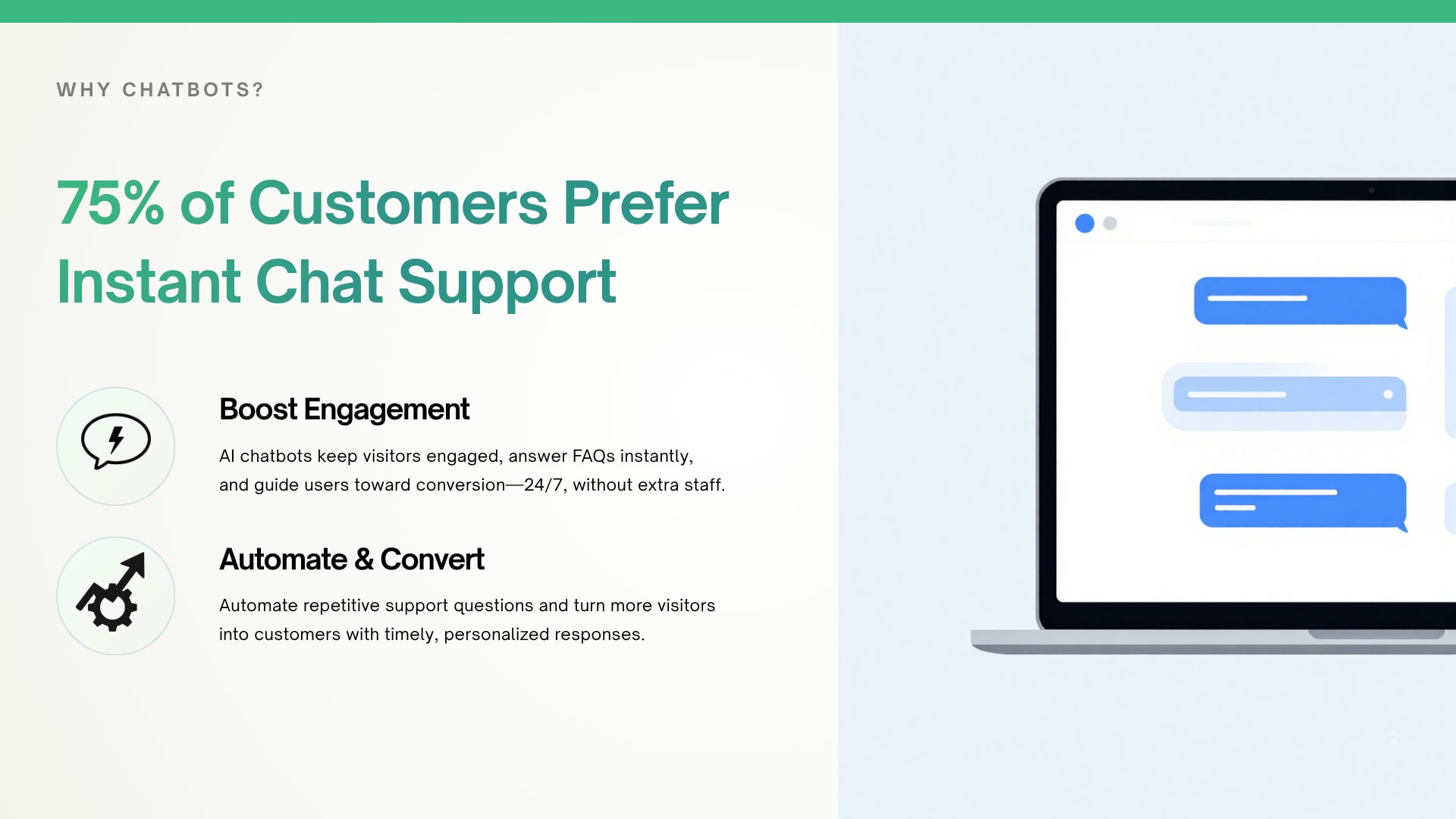
A website AI chatbot generally combines an AI language model with business-specific information and instructions. When a visitor submits a question, the system interprets the request and generates a response based on the available context.
The process can be simplified into four stages:
Visitor asks a question
Chatbot understands the request
Relevant information is identified
A conversational response is provided
The chatbot may also guide visitors toward specific pages, answer common questions, or collect information when the platform supports those functions.
The exact technology differs between platforms, so businesses should review the actual capabilities and configuration options of the solution they choose.
What Information Does a Website Chatbot Need?
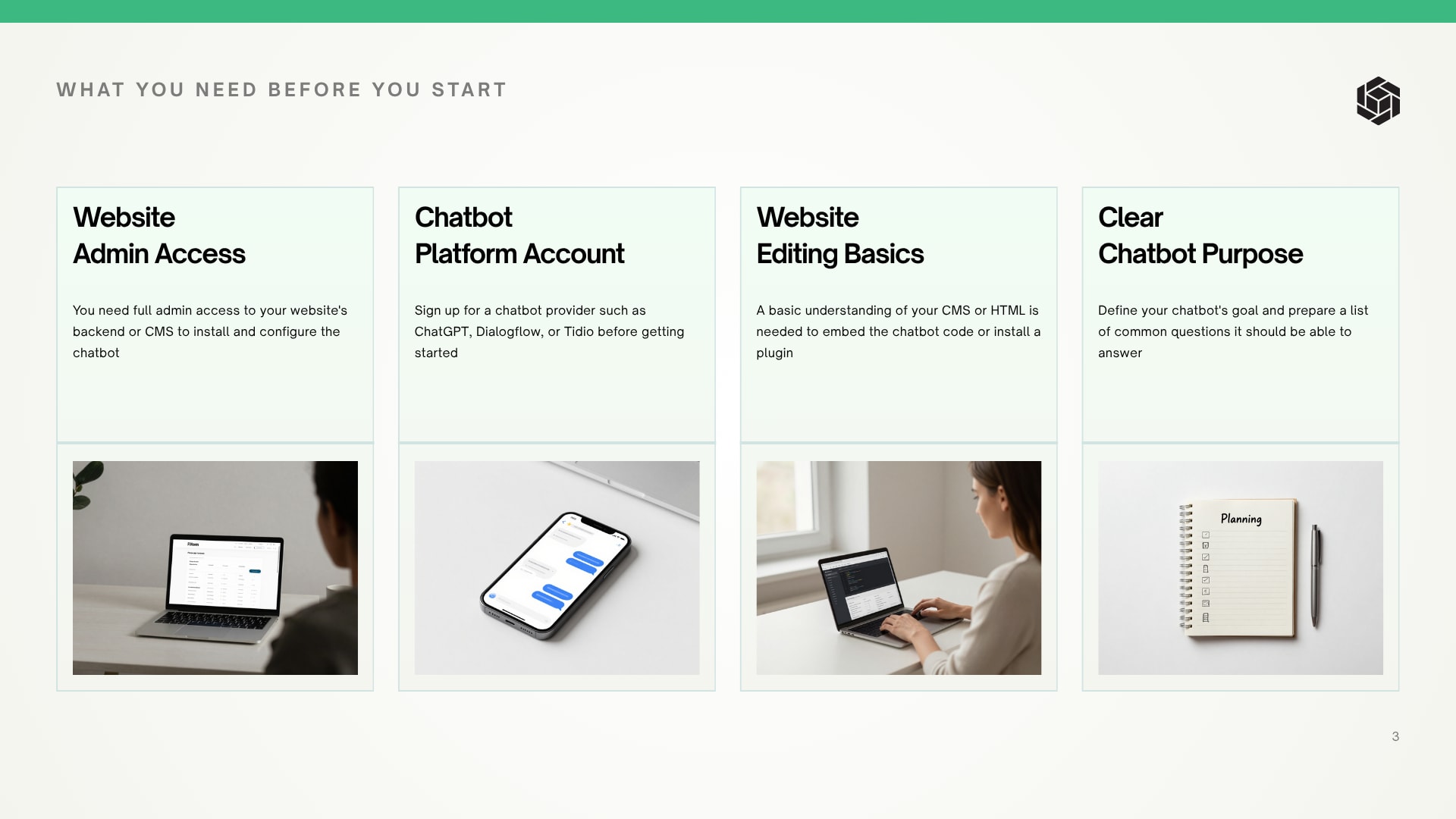
A chatbot needs useful, accurate information about the business and the questions visitors are likely to ask.
Depending on the website, this may include:
Service descriptions
Product information
Frequently asked questions
Business hours
Contact information
Shipping or return information
Pricing information where appropriate
Company policies
Support documentation
Appointment information
Relevant website pages
Poor information can produce poor responses. For that reason, preparing the knowledge source is one of the most important parts of an AI chatbot setup.
Why Should Businesses Add an AI Chatbot to Their Website?
An AI chatbot can make website communication more convenient by giving visitors another way to find information. It can handle repetitive questions, guide users through the website, and support lead-generation activities.
The value depends on the business and its goals. A service company may focus on enquiries, while an ecommerce store may focus on product questions. A SaaS company may use a chatbot to explain features and guide visitors toward documentation.
How Can an AI Chatbot Improve Customer Support?
A website chatbot can handle common questions that otherwise consume support staff time.
Visitors may ask about:
Services
Products
Policies
Availability
Basic troubleshooting
Contact methods
Business information
Instead of forcing customers to search through several pages, the chatbot can provide a conversational starting point.
This does not mean every support problem should be handled by AI. Complex, sensitive, or unusual requests may still require human assistance.
A practical approach is to let the chatbot handle routine questions while giving visitors a clear path to human support when necessary.
Can a Website Chatbot Generate and Qualify Leads?
A lead generation chatbot can help businesses start conversations with potential customers. Instead of relying only on a static contact form, a chatbot can ask relevant questions and guide visitors toward the next step.
For example, a website visitor interested in web development could be asked about:
Type of website required
Business category
Project requirements
Expected timeline
Preferred contact method
The questions should remain relevant and easy to answer. Asking too many questions at the beginning can make the interaction feel like a form rather than a conversation.
The objective is to make the visitor's journey easier, not create another barrier.
Where Should an AI Chatbot Be Placed on a Website?
The best location depends on the purpose of the chatbot and visitor behavior.
A chatbot may be useful on:
Homepage
Product pages
Service pages
Pricing pages
Landing pages
Contact pages
Support pages
A homepage chatbot can answer general questions. A product-page chatbot can help shoppers understand a specific product. A pricing-page chatbot can clarify common purchasing questions.
Homepage
The homepage is often the first interaction point for new visitors. A chatbot placed there can help users find the right service, product, or section of the website.
The chatbot should not cover important content or automatically interrupt visitors.
Product and Service Pages
These pages often generate detailed questions.
For example, a visitor considering a software service may want to understand features, implementation requirements, or suitability. A chatbot can provide quick answers while keeping the visitor on the page.
Pricing and Contact Pages
Visitors on pricing and contact pages are often closer to taking action. A chatbot can clarify basic questions and help direct visitors toward the appropriate next step.
How Can a Business Add an AI Chatbot to Its Website?
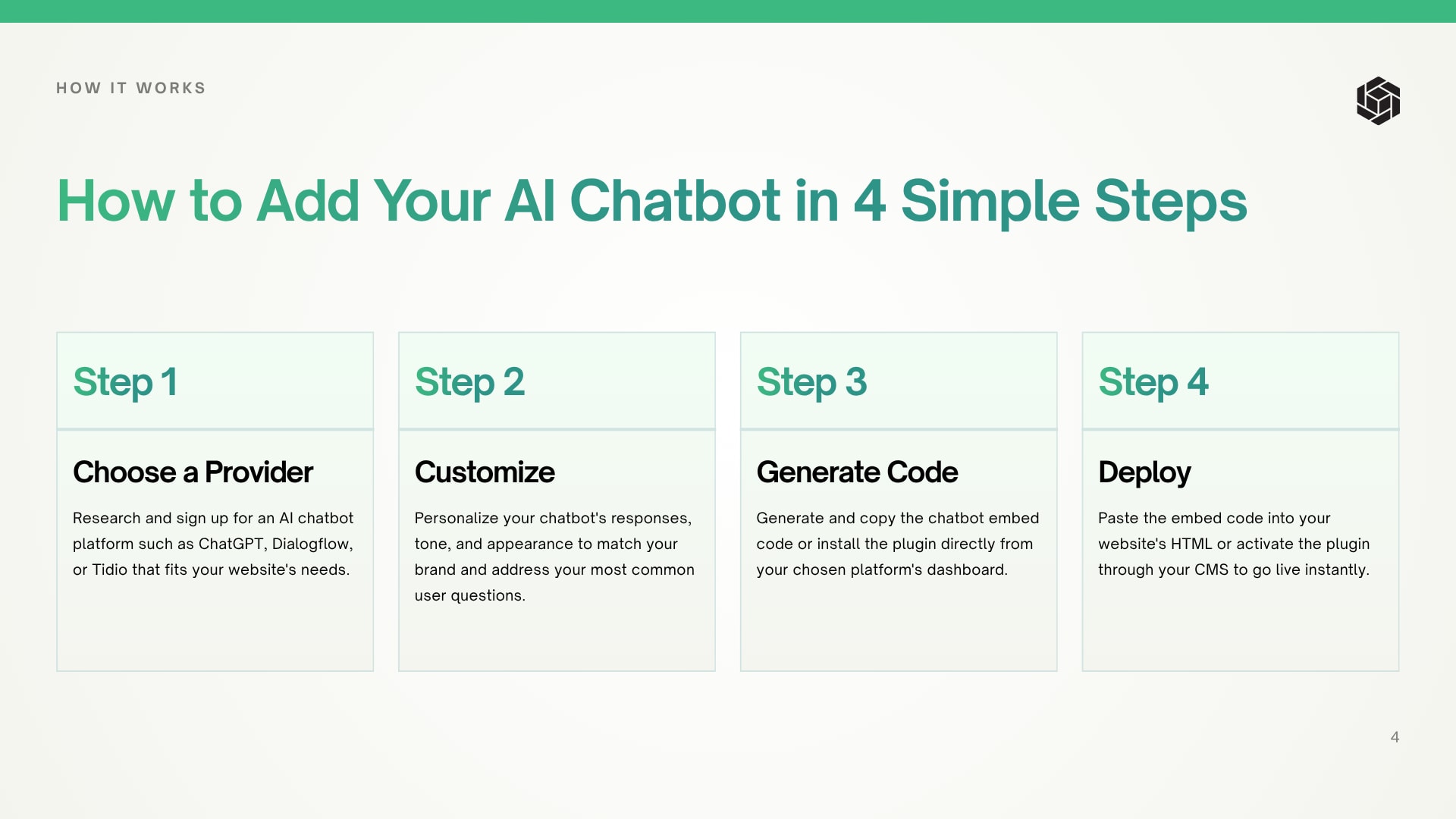
Adding an AI chatbot generally involves selecting a platform, preparing information, configuring the chatbot, installing it on the website, and testing it before launch.
The process can be completed without building a chatbot system completely from scratch when a platform provides a ready-made website integration.
Step 1: Choose an AI Chatbot Platform
The first step is deciding what the chatbot needs to accomplish.
A business should consider:
Customer support
Lead generation
Website navigation
Product assistance
Appointment enquiries
FAQ automation
The platform should match the business's actual requirements rather than simply offering the largest number of features.
A small business with straightforward FAQs may not need a complex custom system. A larger organization with advanced workflows may have different requirements.
Step 2: Create and Configure the Chatbot
After selecting a platform, the business can create the chatbot and configure its basic behavior.
This may involve setting:
Chatbot name
Welcome message
Response style
Business information
Instructions
Escalation behavior
The chatbot should communicate clearly and professionally.
A short welcome message is usually easier to understand than a long introduction.
Step 3: Add Website Content and Knowledge Sources
The chatbot needs information from which it can answer questions.
The business should review important website content and make sure the information is accurate and current.
For example, if a service page says one thing while an older FAQ says something different, the chatbot may struggle to provide a consistent answer.
A useful preparation process includes:
Reviewing important pages
Removing outdated information
Checking frequently asked questions
Organizing business details
Identifying information visitors commonly request
The better the underlying information, the easier it is to create useful chatbot responses.
Step 4: Customize the Chatbot Appearance
The chatbot should look like a natural part of the website.
Customization may include elements such as:
Brand appearance
Chat icon
Welcome message
Position on the screen
Conversation prompts
Design should support usability rather than compete with the website.
A chatbot that is difficult to close, blocks important content, or repeatedly opens without permission can frustrate visitors.
Step 5: Configure Chatbot Behavior
The chatbot needs clear boundaries.
It should understand:
What questions it can answer
What information it should provide
What it should not claim
When it should ask for clarification
When it should direct users to human support
This stage is particularly important for accuracy.
For example, if a business does not publish a particular price, the chatbot should not invent one. If it cannot answer a question confidently, it should provide an appropriate alternative rather than pretending to know.
Step 6: Complete the Website Chatbot Integration
Once the chatbot is configured, it can be connected to the website using the platform's installation method.
Many modern chatbot services provide a simple integration process. Depending on the platform, this may involve adding a small piece of code to the website or following a no-code installation workflow.
For WordPress websites, the process may also depend on the site's setup, theme, plugins, and available integration methods.
Businesses interested in a straightforward website chatbot setup can explore the YourSiteChat website integration option at yoursitechat.com.
Step 7: Test the AI Chatbot
Testing should happen before the chatbot is made available to every visitor.
A useful test should include both easy and difficult questions.
For example:
What services does the company provide?
How can someone contact the company?
What are the business hours?
What happens if a visitor asks something unrelated?
What happens when information is unavailable?
Can the chatbot guide a visitor to the correct page?
The goal is not to make every answer perfect. The goal is to identify incorrect, confusing, incomplete, or misleading responses before launch.
Step 8: Launch and Monitor the Chatbot
After testing, the chatbot can be launched.
Launching is not the final step.
Visitor questions can reveal gaps in website content and chatbot configuration. Businesses should review conversations where appropriate, identify recurring problems, and improve the chatbot over time.
A chatbot should be treated as an ongoing website feature rather than a one-time installation.
How Can Businesses Improve an AI Chatbot After Launch?
Improvement starts with observing how visitors actually use the chatbot. Businesses can identify frequently asked questions, unanswered requests, confusing responses, and points where users leave the conversation.
The chatbot can then be updated with better information and clearer instructions.
How Can Chatbot Accuracy Be Improved?
Accuracy depends heavily on information quality and configuration.
Businesses can improve responses by:
Keeping knowledge sources updated
Removing conflicting information
Adding important FAQs
Reviewing incorrect responses
Defining chatbot boundaries
Testing common customer questions
Providing clear escalation instructions
A useful chatbot does not need to answer every possible question. It needs to answer relevant questions reliably.
When Should a Chatbot Transfer Visitors to Human Support?
Human escalation is useful when a question requires judgment, personal assistance, sensitive information, or detailed problem-solving.
Examples include:
Complex complaints
Account-specific issues
Unusual technical problems
Sensitive billing matters
Requests requiring human approval
A chatbot should make human support easier to reach, not hide it.
What Metrics Should Businesses Track?
The right metrics depend on the chatbot's purpose.
Useful measurements can include:
Number of conversations
Frequently asked questions
Unanswered questions
Conversation completion
Lead submissions
Click-throughs to important pages
Human support escalations
A business focused on lead generation may pay more attention to qualified enquiries. A support-focused business may care more about successful resolution of routine questions.
Common AI Chatbot Implementation Mistakes
A chatbot can technically work while still creating a poor user experience. Several common mistakes are worth avoiding.
Using Poor-Quality Knowledge
Outdated or incomplete information can reduce trust.
Website owners should review the information supplied to the chatbot before launch and update it whenever important business details change.
Making the Chatbot Too Aggressive
Automatic pop-ups, repeated messages, and intrusive chat windows can interrupt visitors.
A helpful chatbot should be available without becoming a distraction.
Ignoring Mobile User Experience
Many website visitors use smartphones. The chatbot should remain easy to open, read, use, and close on smaller screens.
Important website buttons should not become hidden behind the chat interface.
Failing to Test Responses
A chatbot should not be published immediately after configuration.
Testing common customer questions can reveal problems that are not obvious during setup.
Not Planning Human Escalation
Even a capable AI chatbot has limitations.
Visitors should have a clear alternative when the chatbot cannot resolve their issue.
AI Chatbot Security and Privacy Considerations
Security and privacy should be considered before collecting visitor information through a chatbot.
Businesses should determine what information the chatbot needs and avoid collecting unnecessary personal data.
Important considerations include:
What information visitors are asked to provide
Where conversation information is stored
Who can access collected information
How the platform handles submitted data
Whether the website's privacy policy needs updating
Businesses should review the privacy documentation and configuration options of the selected chatbot provider before collecting personal information.
The chatbot should also avoid requesting sensitive information unless there is a legitimate and properly designed reason to do so.
How Much Does an AI Chatbot for a Website Cost?
The cost of an AI chatbot varies based on the platform, capabilities, usage, customization, and implementation requirements.
Some website chatbot solutions are designed for simple self-service setup, while more advanced implementations can involve custom development and additional infrastructure.
Businesses should evaluate the total requirement rather than choosing solely on price.
The key questions include:
What problem should the chatbot solve?
How many visitors may use it?
What knowledge does it need?
Is lead generation required?
Is human escalation needed?
What level of customization is necessary?
What ongoing management will be required?
Pricing should be checked directly with the selected provider because plans and features can change.
Practical Website Chatbot Examples
Different websites can use AI chatbots in different ways. The following examples illustrate possible applications rather than specific customer case studies.
Example: Local Service Business
A local service company may use an AI chatbot to answer questions about services, availability, pricing ranges, and appointment requests.
Instead of calling immediately, a visitor can ask basic questions through the website and decide whether to submit an enquiry.
Example: Ecommerce Website
An ecommerce store may use a website chatbot to help shoppers understand products, shipping information, return policies, and basic purchasing questions.
For example, a visitor searching for a particular type of product could ask what options are available. The chatbot can guide the visitor toward relevant information when its knowledge source supports the request.
Example: SaaS Company
A SaaS business may use a chatbot to explain product features, answer common questions, guide visitors toward documentation, and support lead qualification.
This can be particularly useful when website visitors have different levels of product knowledge.
AI Chatbot vs Traditional Website Support
Different approaches work for different needs. A chatbot is not necessarily a replacement for every traditional support method.
OptionSetup DifficultyBest ForTypical UseBasic chatbotLowSimple FAQsSmall websitesAI chatbotLow–MediumCustomer supportGrowing businessesCustom AI chatbotMedium–HighAdvanced workflowsLarger organizations
A traditional FAQ remains useful because it gives visitors a stable source of information. A chatbot adds conversational access to that information.
The two approaches can work together.
A strong website can provide structured content for visitors who prefer browsing while offering conversational assistance to users who want quick answers.
Frequently Asked Questions About AI Chatbots for Websites
Can an AI chatbot be added to a website without coding?
Yes, some AI chatbot platforms provide no-code or low-code installation methods. The exact process depends on the platform and website system. A business may need to add a small integration snippet, use a plugin, or follow another installation method. The selected provider's website integration instructions should be checked before implementation.
How long does AI chatbot integration take?
Simple website chatbot integration can be relatively quick when the platform provides a ready-made installation process. However, the total setup time also depends on knowledge preparation, customization, testing, and website configuration. A basic chatbot can be faster to launch than a customized system requiring extensive content and workflow planning.
Can an AI chatbot generate leads?
Yes, an AI chatbot can support lead generation by engaging visitors, answering questions, asking qualifying questions, and guiding interested users toward an enquiry or contact process. Its effectiveness depends on the website, offer, conversation design, audience, and quality of the implementation.
How can a website chatbot be trained?
A website chatbot can be configured using relevant business information, website content, FAQs, documentation, and instructions supported by the selected platform. Training or knowledge setup should focus on accurate and useful information. Regular reviews can help identify missing content and improve responses as the website and business change.
What happens when a chatbot cannot answer a question?
A well-configured chatbot should acknowledge when it cannot provide a reliable answer instead of inventing information. Depending on the setup, it can direct the visitor to a relevant webpage, provide a contact option, or recommend human support. Clear fallback behavior is an important part of a reliable chatbot experience.
Is an AI chatbot suitable for every website?
Not necessarily. A chatbot is most useful when website visitors regularly need information, guidance, support, or assistance. A very small website with little visitor interaction may not need one. Businesses should first identify a genuine communication problem and then determine whether conversational assistance can solve it.
What Should Businesses Consider Before Adding a Website AI Chatbot?
The most important consideration is the problem the chatbot is expected to solve.
A chatbot should have a clear purpose rather than being added simply because AI is popular.
Choosing the Right Chatbot Goals
A business may choose one primary goal such as:
Answering FAQs
Supporting customers
Generating leads
Guiding website visitors
Helping product discovery
Reducing repetitive enquiries
A focused objective makes chatbot configuration easier and provides clearer performance measurements.
Preparing Website Content
The chatbot should be supported by accurate website information.
Before implementation, businesses should review important pages and identify outdated or contradictory information.
This process can improve both chatbot responses and the website itself.
Planning for Ongoing Improvement
Website content changes. Products change. Services change. Business hours change. Policies change.
The chatbot needs to reflect those changes.
Regular review can help maintain accuracy and prevent old information from becoming part of the visitor experience.
How Can a Business Add YourSiteChat to a Website?
Businesses looking for an AI chatbot website integration can explore the YourSiteChat website integration page to review the available setup approach.
The integration should be evaluated based on the website's requirements, the information the chatbot needs, and the intended visitor experience. Businesses should verify current capabilities, setup requirements, and available options directly on the provider's website before implementation.
A website chatbot works best when the technology and content strategy are considered together. Simply installing a chat widget is not enough; the chatbot needs useful information, clear behavior, testing, and ongoing improvement.
Conclusion
An AI chatbot for website visitors can provide a convenient way to answer questions, guide users, support customers, and assist with lead generation. The basic implementation process involves choosing a suitable platform, preparing reliable information, configuring the chatbot, customizing its appearance and behavior, integrating it with the website, testing responses, and monitoring performance.
The strongest implementations focus on usefulness rather than simply adding an AI feature.
A chatbot should answer relevant questions clearly, avoid making unsupported claims, respect the visitor's experience, and provide human support when needed.
For businesses exploring a practical AI chatbot website integration, the YourSiteChat website integration option can be reviewed as one possible solution. The most appropriate choice ultimately depends on the website's goals, content, audience, and support requirements.