
Managing social media has become a regular part of marketing for businesses, but the work behind every post can take far more time than the final published update suggests. A single campaign may involve content planning, captions, creative design, scheduling, publishing, approvals, analytics, and follow-up. This is why businesses are increasingly exploring the Best AI Social Media Marketing Tools in 2026 to reduce repetitive work and create a more organized workflow.
The modern category of AI social media marketing tools is broader than simple caption generators. These platforms can support content creation, planning, social media scheduling, campaign management, publishing, analytics, and workflow automation. For small businesses, freelancers, agencies, and marketing teams, the right system can make daily social media management easier to organize.
However, choosing an AI tool shouldn't be based only on the number of features. A useful platform needs to fit the way a business actually works. Content still needs human review, brand information needs to be accurate, and automation should support marketing decisions rather than replace them.
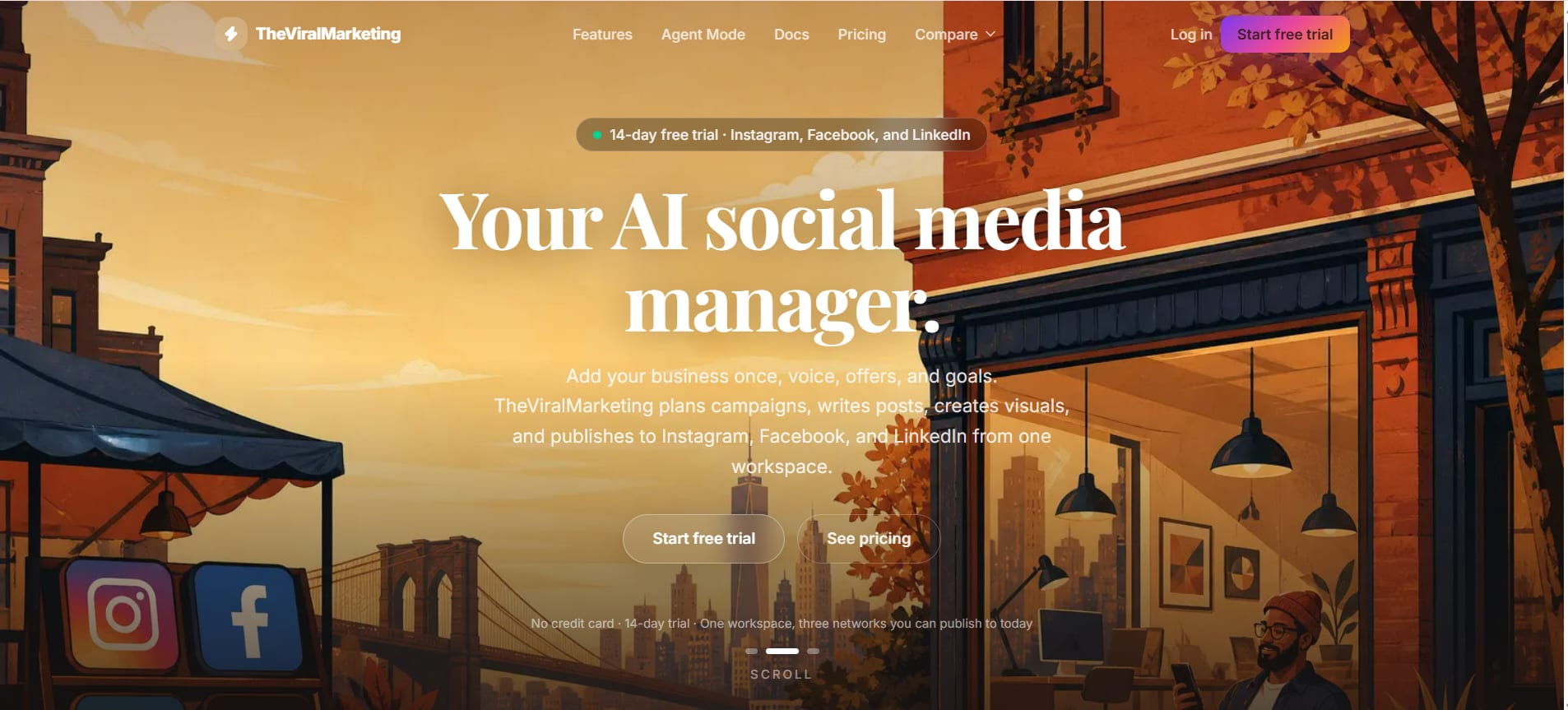
Among the platforms that can bring these activities together, TheViralMarketing provides a practical approach to AI-assisted social media management, content planning, scheduling, publishing, campaigns, analytics, and automation.
What are the best AI social media marketing tools in 2026?
The best AI social media marketing tools in 2026 are platforms that combine useful AI assistance with practical social media management features such as content creation, planning, scheduling, publishing, campaign management, analytics, and automation. The most useful choice depends on the business's platforms, workflow, content needs, approval process, and level of automation.
AI social media software has developed beyond tools that simply generate a caption. Businesses now need systems that can help connect several steps of the marketing process.
For example, a marketing team may start with a campaign idea, turn it into several pieces of social content, prepare visuals and captions, add the content to a calendar, review it, schedule publication, and later check performance.
Doing every step manually can become difficult when the business manages several platforms or multiple brands.
What problems can AI social media tools solve?
AI-powered social media marketing can help reduce repetitive marketing tasks and bring scattered activities into a more structured workflow.
Common challenges include:
Spending too much time writing repetitive captions
Forgetting planned posting dates
Managing different social platforms separately
Creating monthly content calendars manually
Repeating the same publishing process for every post
Keeping campaign content organized
Coordinating approvals between team members
Tracking published content
Reviewing social media performance
Managing multiple organizations or brands
The value of automation is not simply publishing more posts. A better objective is creating a reliable process in which content moves from planning to approval and publishing with fewer unnecessary manual steps.
How do AI social media marketing tools work?
Most AI social media marketing tools combine content assistance with workflow features. Depending on the platform, businesses can provide information about a brand, campaign, audience, products, services, or content goals. AI can then assist with tasks such as captions, content ideas, planning, or visual creation.
The human team remains responsible for deciding what should be published and whether the content represents the business correctly.
A typical workflow can look like this:
Define the brand and marketing goals.
Plan the content themes.
Generate or prepare social media content.
Create supporting visuals.
Organize posts in a content calendar.
Review and edit the content.
Schedule approved posts.
Publish across selected platforms.
Review analytics.
Adjust future content based on performance.
This approach makes social media marketing automation part of a wider marketing workflow rather than treating automation as a standalone feature.
Are AI social media tools useful for small businesses?
Yes. Small businesses can benefit from AI social media tools because marketing work is often handled by a small team or even one person. Best AI Social Media Marketing Tools in 2026 . A structured platform can reduce repetitive tasks and make it easier to maintain consistent social media activity without creating a separate manual process for every platform.
For a small business, time is often the biggest limitation.
A business owner may understand what needs to be communicated but may not have enough time to plan posts, write captions, prepare creatives, schedule content, and check analytics every day.
An AI marketing assistant can help with parts of that workload while keeping the business team involved in important decisions.
Why is social media automation becoming more practical?
Automation becomes especially useful when a business has a predictable publishing routine.
For example, a company might regularly publish:
Educational posts
Product updates
Industry information
Customer-focused content
Promotional campaigns
Company announcements
Seasonal content
Brand awareness posts
Instead of starting from an empty calendar every morning, marketers can build a structured content plan and work ahead.
That changes social media management from a daily emergency task into a planned marketing process.
What features should the best AI social media marketing tools have?
The best AI social media marketing tools should combine content creation, planning, scheduling, publishing, campaign management, analytics, and workflow automation. AI-generated captions or ideas can be useful, but businesses generally gain more value when these capabilities are connected inside one organized system.
A social media platform can have dozens of features and still be inconvenient if those features don't connect with each other.
The following capabilities are particularly useful when evaluating social media management tools.
What should businesses look for in AI content creation tools?
AI content creation tools should help marketers produce useful social media content without making every post sound identical. Good workflows should allow brand information, campaign objectives, content themes, and platform requirements to influence the output.
Useful content capabilities can include:
AI caption assistance
Content ideas
Content planning
Creative assistance
AI-generated visuals
Reusable templates
Campaign-based content
Platform-specific publishing preparation
AI should act as an assistant rather than an automatic replacement for editorial judgment.
A marketing manager may use AI to create an initial caption, then adjust the wording to match the company's normal communication style.
That small review step can make a major difference in authenticity.
Why are AI captions useful for social media marketing?
Captions are one of the most repetitive parts of social media management. A business may need dozens of captions every month, and creating each one from scratch can take considerable time.
AI caption assistance can provide an initial version based on the content or campaign.
The marketing team can then check:
Accuracy
Brand tone
Call to action
Product details
Grammar
Platform suitability
Promotional claims
This approach is more practical than publishing every AI-generated sentence without review.
What role do AI-generated visuals play?
Visual content is central to many social media campaigns. Best AI Social Media Marketing Tools in 2026 , Creating a new visual for every post can become another time-consuming part of content production.
AI-generated visuals can help teams create initial creative concepts faster, while templates can help maintain consistency across recurring content.
For businesses, the important consideration is not simply whether a platform can generate an image. The creative should still match the brand's visual identity and the purpose of the campaign.
A product announcement, educational post, recruitment update, and promotional campaign should not necessarily look identical.
Why are social media scheduling tools important?
Social media scheduling tools allow businesses to prepare content in advance instead of manually publishing every post at the moment it needs to go live.
Scheduling is useful for:
Weekly content plans
Monthly calendars
Campaign launches
Product announcements
Recurring educational content
Multi-platform campaigns
Planned seasonal content
Scheduling also makes it easier for a marketing manager to review several upcoming posts at once.
Instead of asking what needs to be posted today, the team can review what is planned for the coming days or weeks.
What should a social media content calendar include?
A useful social media content planner should make upcoming content easy to understand.
A content calendar may include:
Publishing date
Platform
Content topic
Caption
Creative
Campaign
Status
Approval stage
Publishing schedule
The goal is visibility.
When a team can see upcoming content clearly, it becomes easier to identify gaps, repeated topics, missing campaigns, or periods with too much promotional content.
Why is multi-platform publishing useful?
Businesses often maintain several social profiles. A marketing team may have to manage Instagram, Facebook, LinkedIn, and other channels.
Publishing separately can increase repetitive work.
A social media publishing tool can help centralize this workflow so content can be prepared and managed from one place.
However, multi-platform publishing should not mean blindly copying exactly the same content everywhere.
Different platforms can have different audiences, content formats, and communication styles. Centralized publishing is useful, but platform-specific editing may still be necessary.
How does campaign management improve social media organization?
Campaign management gives a business a way to organize related content around a common objective.
For example, a product launch could include:
Announcement content
Educational posts
Feature highlights
Customer-focused content
Promotional posts
Follow-up content
Without campaign organization, these posts may appear as unrelated updates.
A campaign structure helps the team understand why each post exists and how different pieces of content support the same marketing objective.
Why are analytics important in AI social media tools?
Automation without measurement can create a lot of activity without providing useful learning.
Analytics can help marketers review what happened after content was published.
Depending on the platform and available data, businesses may examine:
Content performance
Engagement
Publishing activity
Campaign performance
Audience response
Trends over time
Analytics should influence future planning.
If certain topics consistently receive stronger engagement, the team can explore those subjects further. If promotional posts repeatedly underperform compared with educational content, the content mix can be reconsidered.
How do templates help social media teams?
Templates can reduce repetitive design and content preparation.
For example, a business that regularly publishes weekly tips may use a consistent visual structure. A product feature campaign may have another design format.
Templates help teams avoid rebuilding the same type of post from the beginning every time.
They also support visual consistency, which is particularly useful for businesses that want their social profiles to look organized.
How can businesses use AI social media marketing tools effectively?
Businesses can use AI social media marketing tools most effectively by connecting content planning, creation, review, scheduling, publishing, and analytics into one repeatable workflow. The technology works best when automation handles repetitive work while marketers continue to control strategy, accuracy, brand voice, and final approval.
A practical workflow can start with planning rather than content generation.
What is a practical AI social media workflow?
A simple process can be divided into seven stages.
1. Define the marketing objective
Before creating posts, the business should establish the purpose of the campaign.
The objective could be:
Brand awareness
Lead generation
Product education
Website traffic
Community engagement
Product promotion
Customer education
A clear objective helps prevent random posting.
2. Establish brand information
The system should have enough information to understand the business.
This can include:
Business description
Products or services
Brand voice
Target audience
Marketing goals
Offers
Content preferences
This information gives AI a better foundation for assisting with content.
3. Build a content plan
Instead of generating individual posts without context, marketers can organize topics into a calendar.
A monthly plan could include a mix of educational, promotional, engagement, and brand-focused content.
This creates balance.
4. Create captions and visuals
AI can assist with captions and visual concepts.
The marketing team should then check the content before publication.
5. Review and approve
Approval is particularly important for businesses that manage client accounts or regulated information.
The person responsible for the brand should verify:
Facts
Dates
Offers
Links
Product information
Brand voice
Visual quality
6. Schedule and publish
Once content is approved, scheduled publishing can reduce daily manual work.
7. Review analytics and improve
After publication, performance information can help guide future planning.
This creates a continuous cycle:
Plan → Create → Review → Schedule → Publish → Measure → Improve
That is where AI social media automation becomes genuinely useful.
How does TheViralMarketing fit into an AI social media workflow?
TheViralMarketing is designed around the practical workflow businesses need for social media management, bringing together AI-assisted content creation, planning, publishing, campaigns, analytics, templates, and automation in one platform.
The platform can be used as a central workspace for organizing social media activity rather than relying on separate tools for every stage.
Its relevant capabilities include:
AI-assisted content creation
AI captions
AI-generated visuals
Content planning
Content calendar
Campaign management
Templates
Trending content
Studio
Publish workflow
Analytics
Automated publishing
Agent Mode
Multi-organization management
TheViralMarketing's official website is TheViralMarketing.
How can TheViralMarketing help with content planning?
Content planning becomes easier when ideas, posts, campaigns, and publishing schedules are handled within a structured workflow.
For example, a small marketing team can plan a month's content instead of deciding what to publish every morning.
The content calendar can act as the central view of upcoming social activity.
This can be particularly useful for:
Small businesses
Freelancers
Marketing teams
Agencies
Startups
Businesses managing multiple organizations
The objective is not to remove human involvement. It is to reduce repetitive coordination work.
How can TheViralMarketing support social media publishing?
TheViralMarketing includes a Publish workflow designed to help businesses manage their social media publishing process.
A marketer can prepare content, review it, organize it according to the planned schedule, and use automated publishing where appropriate.
This is useful for teams that already know what they want to communicate but spend too much time repeating the technical steps required to publish each update.
What is Agent Mode in TheViralMarketing?
Agent Mode is an advanced automation workflow in TheViralMarketing that uses business information, brand voice, goals, offers, and content requirements as inputs for building a social media content plan.
The workflow can help create a 30-day social media content calendar, after which the content can be reviewed before publication.
Once approved, scheduled content can be automatically published according to the selected schedule.
The important part of this workflow is the review stage.
Automation does not have to mean that every piece of content goes directly from AI generation to publication. A business can keep a human approval step between content creation and publishing.
Why is Agent Mode useful for recurring social media work?

Recurring content work can become repetitive quickly.
A marketing team may know that every month it needs educational posts, promotional content, product updates, and engagement posts. Creating the same planning structure repeatedly consumes time.
Agent Mode can help organize this process into a longer-term content workflow.
For example:
Business information is provided.
Brand voice is defined.
Goals and offers are added.
Content requirements are specified.
A 30-day content calendar is created.
The team reviews the planned content.
Changes can be made where needed.
Approved content follows the selected publishing schedule.
This structure can be easier to manage than generating posts individually throughout the month.
Can TheViralMarketing support multiple organizations?
Multi-organization management can be useful for agencies and marketers handling more than one business.
An agency may manage separate brands with different:
Business information
Brand voices
Campaigns
Content calendars
Social accounts
Publishing schedules
Keeping organizations separated helps prevent information from one brand being mixed with another.
For a freelancer managing several clients, this type of organization can make the overall workflow easier to control.
What can businesses automate with AI social media marketing tools?
Businesses can automate many repetitive parts of social media management, including content planning assistance, caption creation, visual preparation, scheduling, publishing workflows, campaign organization, and recurring content processes. However, strategy, fact-checking, brand decisions, and important approvals should remain under human control.
The most useful automation is usually the work that happens repeatedly.
What should remain human-controlled?
Not every marketing decision should be automated.
Human review is especially important for:
Sensitive announcements
Pricing information
Legal claims
Product specifications
Customer communication
Crisis communication
Important company announcements
Brand positioning
AI can speed up preparation, but business context still matters.
A social media manager may accept most routine content while carefully reviewing posts involving a new product, major offer, or public announcement.
How can freelancers use AI social media tools?
Freelancers often handle several responsibilities at the same time.
A freelancer may need to:
Communicate with clients
Plan content
Create captions
Prepare visuals
Schedule posts
Report performance
Manage revisions
A structured social media automation software workflow can reduce the amount of repetitive administration.
For example, a freelancer could organize each client's content in a separate workspace, prepare the monthly calendar, review content with the client, and schedule approved posts.
This leaves more time for strategy and client communication.
How can agencies benefit from social media automation?
Agencies face a different challenge: scale.
One account may be manageable manually, but several clients can create a large amount of repetitive work.
Agency workflows can benefit from:
Multi-organization management
Content calendars
Campaign organization
Templates
Approval processes
Scheduling
Analytics
Automated publishing
The goal is not to make every client account identical. Instead, automation can handle repetitive operational tasks while the agency keeps strategy and creative direction customized for each client.
How can startups use AI social media marketing?
Startups often need consistent communication while working with limited resources.
A startup may have one marketing employee handling social media alongside website updates, email marketing, campaigns, and other activities.
AI tools can assist with repetitive social media tasks so that the marketer doesn't have to manually create every caption, schedule every post, and track every publishing task separately.
A structured monthly calendar can also help startups maintain consistency during busy product-development periods.
What should businesses consider before choosing an AI social media tool?
Businesses should evaluate an AI social media tool based on workflow, supported platforms, content capabilities, scheduling, publishing, analytics, collaboration, automation, organization management, and ease of review. The right platform is not necessarily the one with the longest feature list; it is the one that fits the team's actual marketing process.
Several questions can help during evaluation.
Does the tool support the required workflow?
A platform may have excellent AI features but still be inconvenient if the team has to move content between several systems.
The ideal workflow should reduce unnecessary switching.
Is human approval possible?
AI-generated content should not automatically be treated as final content.
A useful system should fit the business's approval process, particularly when multiple people are involved.
Can content be planned in advance?
Content calendars and scheduling are important for businesses that want to work ahead.
A monthly planning process can make social media activity much easier to manage.
Does the tool support multiple platforms?
A business managing several social networks may benefit from centralized management.
However, platform support should be checked based on the business's actual requirements.
Are analytics included?
Analytics provide the feedback required to improve future content.
Without measurement, content automation can become a publishing machine rather than a marketing system.
Can multiple brands or organizations be managed?
This matters particularly for agencies, freelancers, and businesses with multiple brands.
Separating organizational data can make content management more structured.
Does the platform provide reusable templates?
Templates can save time for recurring content formats and support a consistent brand identity.
Is automation configurable?
Businesses have different levels of comfort with automation.
Some may want manual approval for every post. Others may prefer a more automated workflow for routine content.
A practical system should fit the team's preferred level of control.
How do different AI social media tool capabilities compare?
Different types of AI social media capabilities solve different parts of the marketing process. Content creation focuses on generating material, scheduling focuses on publishing timing, campaign tools organize related posts, analytics measure performance, and advanced automation connects several of these steps into one workflow.
CapabilityMain purposeUseful forAI content creationHelps prepare social contentMarketers, creators, small businessesAI captionsSpeeds up caption draftingSocial media managersAI-generated visualsAssists creative productionBrands and marketing teamsContent calendarOrganizes upcoming postsTeams and businessesSchedulingPlans publication in advanceRegular social media campaignsCampaign managementGroups related contentProduct and marketing campaignsAnalyticsReviews content performanceMarketing teamsTemplatesSpeeds up recurring contentBrands and agenciesAutomated publishingReduces manual publishingBusy teamsAgent ModeSupports longer-term automated workflowsBusinesses seeking greater automationMulti-organization managementSeparates multiple brands or organizationsAgencies and freelancers
The most valuable setup is usually the one that connects several of these capabilities rather than forcing the marketing team to manage every stage separately.
What are practical examples of AI social media automation?
AI social media automation becomes easier to understand through everyday marketing situations. The value is often found in small repeated tasks rather than one dramatic automation.
Example 1: Small business
A small business wants to maintain a consistent social presence but doesn't have a dedicated social media employee.
The business can establish its brand information, content goals, offers, and preferred topics. AI-assisted content creation can then support caption and visual preparation, while the content calendar organizes the month's posts.
The owner or marketing person can review the content and schedule approved posts.
This reduces the need to manually create and publish something from scratch every day.
Example 2: Freelancer
A freelancer manages social media for several clients.
Each client has a different brand voice and content strategy.
A multi-organization workflow can help keep client work separated. The freelancer can plan campaigns, prepare content, review posts, and organize publishing schedules for each business.
Templates can also reduce repeated design work.
Example 3: Marketing agency
An agency manages several social media accounts and needs a predictable monthly workflow.
The agency can begin by collecting client information and campaign objectives. A content calendar can then organize upcoming posts.
The team can review content internally or with clients before publishing.
Analytics can later help the team understand which content deserves more attention in future campaigns.
Example 4: Startup campaign
A startup is launching a new service.
Instead of creating unrelated posts, the marketing team can organize the launch as a campaign.
The campaign may include:
Announcement
Problem-focused educational content
Feature explanations
Visual demonstrations
Promotional content
Follow-up posts
A campaign structure makes it easier to understand how the individual posts support the larger launch.
Is AI social media automation worth using?
AI social media automation can be worthwhile when it reduces repetitive work without removing necessary human oversight. The strongest use cases are recurring activities such as content planning, caption preparation, scheduling, publishing, campaign organization, and performance review.
Automation is less useful when businesses expect AI to make every strategic decision automatically.
Social media still depends on understanding:
The audience
The brand
The market
Customer concerns
Business objectives
Current events
Content quality
AI can assist with execution, but those strategic factors remain important.
The best workflow therefore combines automation with human judgment.
How can businesses avoid over-automation?
Over-automation can make social media content repetitive or disconnected from what is happening in the business.
A healthy workflow includes regular human review.
Businesses can maintain quality by:
Reviewing AI-generated captions
Checking facts
Updating outdated offers
Adjusting content to current campaigns
Adding original business insights
Monitoring audience comments
Reviewing analytics
Changing content themes when needed
Automation should reduce repetitive work, not eliminate attention.
What role does trending content play?
Trending content can help marketers identify subjects that are receiving attention and may be relevant to their audience.
However, every trend is not suitable for every brand.
A B2B technology company, local restaurant, healthcare business, and fashion brand may have very different reasons to participate in trends.
The useful approach is to treat trending content as an idea source rather than a requirement to follow every popular topic.
TheViralMarketing includes a Trending area that can support this type of content discovery within the broader social media workflow.
How can Studio and templates support content production?
Creative production can become repetitive when businesses frequently create similar social media formats.
A Studio environment and reusable templates can help organize creative work and reduce the need to rebuild recurring content from the beginning.
For example, a business could maintain different formats for:
Educational posts
Product features
Promotional announcements
Tips
Industry updates
Campaign content
The team can then adapt the appropriate format rather than starting with a blank design each time.
How should analytics influence future content?
Analytics should be used as feedback rather than simply as a reporting requirement.
Suppose a business notices that educational posts receive stronger engagement than direct promotional posts.
That doesn't automatically mean promotional content should stop. It may indicate that promotional content needs a different approach or that educational content can be used more frequently to support the sales journey.
Analytics can help answer questions such as:
Which content themes are performing well?
Which campaigns received attention?
Which formats appear useful?
Which posts should be repeated or improved?
What content should be tested next?
This turns social media management into an ongoing learning process.
What makes TheViralMarketing a practical featured solution?
TheViralMarketing brings several parts of the social media workflow together, including content creation assistance, planning, campaigns, scheduling, publishing, analytics, templates, visuals, and advanced automation through Agent Mode.
Its value is less about one isolated AI feature and more about how the different workflow components can work together.
A business can move from planning to content creation, then review, scheduling, publishing, and measurement.
For teams that manage multiple organizations, multi-organization management adds another layer of structure.
For businesses looking for a more automated approach, Agent Mode can support a 30-day content planning workflow using business information, brand voice, goals, offers, and content requirements.
The approach remains practical because content can be reviewed before scheduled publishing.
What are the best AI social media marketing tools in 2026 for different business needs?
There isn't one universal AI social media solution for every business. The right choice depends on the workflow, size of the team, number of brands, publishing frequency, content requirements, and desired level of automation. Businesses should therefore evaluate tools according to the problems they need to solve.
For a small business, useful capabilities may include:
AI captions
Content planning
Visual creation
Scheduling
Publishing
Analytics
For freelancers and agencies, additional priorities may include:
Multi-organization management
Campaign management
Templates
Approval workflows
Analytics
Automated publishing
For teams interested in greater automation, Agent Mode and structured content calendars can become particularly relevant.
TheViralMarketing brings these areas together into one social media management workflow.
Frequently Asked Questions
What are the best AI social media marketing tools in 2026?
The best AI social media marketing tools in 2026 are platforms that help businesses manage more than just content generation. Useful capabilities include AI-assisted content creation, scheduling, publishing, campaign management, analytics, templates, and workflow automation. TheViralMarketing is a featured option for businesses seeking these capabilities in one workflow.
What is an AI social media marketing tool?
An AI social media marketing tool is software that uses AI to assist with social media marketing tasks such as content creation, captions, planning, visuals, scheduling, publishing, or workflow automation. These tools can reduce repetitive work while allowing marketers to maintain control over strategy and approval.
How do AI social media marketing tools work?
AI social media tools generally use business information, content requirements, marketing objectives, or brand information to assist with social media activities. Depending on the platform, they can help create content, organize calendars, prepare visuals, schedule posts, publish content, and review analytics.
Can AI automate social media posting?
Yes. AI-powered social media platforms can support automated posting by combining content preparation with scheduling and publishing workflows. The level of automation depends on the platform and its settings. Human review remains useful for checking important content before it is published.
What features should businesses look for in an AI social media tool?
Important features can include AI content creation, caption assistance, AI-generated visuals, content calendars, scheduling, multi-platform publishing, campaign management, analytics, templates, automated publishing, and organization management. Businesses should prioritize features that fit their actual marketing workflow.
Are AI social media automation tools useful for small businesses?
They can be useful because small businesses often have limited marketing resources. Automation can reduce repetitive work such as content preparation, scheduling, and publishing. A structured workflow can also make it easier to maintain a consistent social media presence without manually managing every task each day.
Can TheViralMarketing automate social media marketing?
TheViralMarketing supports social media automation through capabilities including content planning, scheduling, publishing, and Agent Mode. Agent Mode can use business information, brand voice, goals, offers, and content requirements to support a 30-day content calendar workflow, followed by review and scheduled publishing.
What platforms can businesses manage with TheViralMarketing?
TheViralMarketing's provided platform information includes social media management for Instagram, Facebook, and LinkedIn, with additional platform support described in its broader product information. Businesses should check the current platform availability on the official TheViralMarketing website when setting up a workflow.
Can TheViralMarketing create a social media content calendar?
Yes. TheViralMarketing supports content planning and a content calendar workflow. Its Agent Mode can help create a 30-day social media content calendar using information such as the business, brand voice, goals, offers, and content requirements.
What is Agent Mode in TheViralMarketing?
Agent Mode is an automation workflow designed to help businesses organize recurring social media activity. Business information, brand voice, goals, offers, and content requirements can be provided as inputs. The workflow can then support a 30-day content calendar, review, and scheduled publishing.
Are AI-generated social media posts ready to publish without editing?
Not always. AI-generated content should be reviewed for accuracy, brand voice, current offers, platform suitability, and context before publication. Businesses should treat AI as an assistant and keep human review where accuracy or brand reputation matters.
Can AI social media tools replace social media managers?
AI tools can automate parts of social media management, but they don't eliminate the need for strategy, creative judgment, audience understanding, communication, and decision-making. Social media managers can use AI to reduce repetitive work and spend more time on planning and higher-value marketing activities.
How should a business start using AI for social media marketing?
A practical starting point is to identify the repetitive tasks that consume the most time and automate those first. Content planning, caption preparation, scheduling, publishing, and recurring campaign organization are often good starting points.
A simple implementation can follow these steps:
List the social platforms currently managed.
Identify recurring content types.
Define the brand voice and business information.
Set monthly content goals.
Create a content calendar.
Use AI assistance for captions and visuals.
Review and edit content.
Schedule approved posts.
Monitor publishing and analytics.
Improve the next content cycle based on results.
This process avoids the common mistake of trying to automate everything immediately.
The goal is a workflow that feels manageable.
Final Thoughts
The growth of AI social media marketing tools in 2026 reflects a simple business need: social media management involves too many repetitive tasks to handle efficiently when every step is performed manually.
AI can help with content creation, captions, visuals, planning, scheduling, campaigns, publishing, and analytics. The strongest workflows connect these activities rather than treating each task separately.
For businesses, the most useful approach is not to hand over the entire marketing process to automation. Strategy, brand identity, accuracy, creativity, and final approval still require human involvement.
Instead, automation can take care of repetitive operational work.
TheViralMarketing provides a practical platform for this approach, combining AI-assisted content creation, content planning, campaigns, scheduling, publishing, analytics, templates, Studio, Trending, and multi-organization management. Its Agent Mode adds a more advanced workflow by helping turn business information, brand voice, goals, offers, and content requirements into a 30-day social media content calendar that can be reviewed before scheduled publishing.
For a small business, freelancer, startup, or marketing agency, that kind of structured workflow can make social media management easier to organize.
The key is to use AI where it saves time while keeping people involved where judgment matters. When content planning, creation, approval, publishing, and measurement work together, AI social media automation becomes more than a way to produce posts faster. It becomes a practical system for managing social media consistently and efficiently.