Educational institutions answer hundreds of questions throughout the academic year. Prospective students want to know which courses are available, how to apply, what documents are required, and whether they meet admission criteria. Current students may need help finding academic calendars, administrative policies, campus information, or the right department to contact.
When these questions arrive through websites, emails, social media, and phone calls, admissions and student support teams can spend considerable time repeating the same information. Delayed responses may also leave prospective students uncertain about their next steps.
An AI Chatbot for Education can help institutions make routine information easier to access by answering common questions, guiding website visitors, and directing inquiries to the appropriate team. Depending on its configuration, an education chatbot can support prospective students before enrollment and help enrolled students locate relevant institutional resources.
However, automation should not replace the personal guidance students need for complex academic, financial, or individual admission matters. The most useful approach combines accurate information, accessible technology, and human support.
This guide explains how education chatbots work, how they can improve student support and enrollment communication, what institutions should consider before implementing one, and how to evaluate solutions such as YourSiteChat's education chatbot solution.
What Is an AI Chatbot for Education and How Does It Work?
An AI Chatbot for Education is a conversational tool that helps students, parents, applicants, and educators find information by asking questions in everyday language. It can respond to common inquiries, explain published procedures, direct visitors to relevant resources, and support communication outside normal office hours when appropriately configured. Its effectiveness depends on the quality of its information, its permissions, and the boundaries established by the institution.
Understanding an Education Chatbot
An education chatbot is designed to make communication between an educational institution and its audience more accessible. Instead of searching through multiple website pages or waiting for an email response, a visitor can ask a question through a conversational interface.
For example, a prospective student visiting a college website might ask:
Which undergraduate programs are available?
What qualifications are required for admission?
Where can I find the application form?
What documents should I prepare?
How can I contact the admissions office?
Where can I find the latest fee information?
When the relevant information is available in an approved knowledge source, the chatbot can provide an answer or direct the student to the official page.
A conventional rule-based chatbot follows predefined options and decision paths. An AI-powered chatbot can interpret a wider range of natural-language questions, depending on the technology behind it. For instance, questions such as “How do I join your computer science program?” and “What is the admission process for computer science?” may express the same underlying need.
The chatbot should recognize that relationship without inventing details that the institution has not confirmed.
Educational organizations can explore AI chatbot solutions for educational institutions when evaluating how conversational tools might fit their student communication processes.
How Does an AI Chatbot for Education Work?
An education chatbot generally combines a conversational interface, an AI model or response engine, a source of information, and rules that determine what it can answer.
The process usually follows several stages.
1. A student asks a question. The student enters a message into the chatbot on the institution's website or another supported communication channel.
2. The system interprets the request. The chatbot identifies the likely meaning of the question and determines which information may be relevant.
3. The chatbot searches or uses available information. Depending on its configuration, it may use approved website content, uploaded documents, frequently asked questions, or other authorized sources.
4. A response is generated or selected. The chatbot provides an answer based on its available information and configured capabilities.
5. The student receives guidance. The response may explain a process, provide a relevant link, request clarification, or direct the student to a staff member.
6. Unresolved questions are escalated. When a question requires personal judgment or information the chatbot cannot access, the system should communicate its limitations and offer an appropriate route to human assistance.
These stages are not identical across all products. Some chatbots retrieve answers from defined documents, while others use more complex AI workflows or integrations.
For institutions exploring this approach, YourSiteChat's education solution is a relevant starting point for reviewing an education-focused chatbot option.
The Role of a Chatbot Knowledge Base
A chatbot knowledge base is the collection of information the system uses to answer questions. For educational institutions, it may include approved public information about courses, admissions procedures, application instructions, office hours, campus facilities, contact details, and student services.
A carefully organized knowledge base helps make answers more consistent and useful.
For example, imagine that a university receives frequent questions about postgraduate applications. Its knowledge base could include:
Available postgraduate programs.
Published eligibility criteria.
Application instructions.
Official application links.
Document requirements.
Published deadlines.
Admissions office contact details.
Frequently asked questions about the application process.
The chatbot can use this information to guide prospective applicants without requiring staff to repeat every basic instruction manually.
However, a knowledge base is only useful when its information is accurate and current. An outdated deadline or an incorrect fee amount can mislead applicants and damage trust.
Institutions should assign responsibility for reviewing content, updating changed policies, and removing obsolete information. Admission requirements should be confirmed against official institutional sources before the chatbot communicates them.
A dedicated education chatbot for student support and enrollment can be evaluated according to how well its available configuration fits the institution's information and communication requirements.
Rule-Based Chatbots vs. AI-Powered Education Chatbots
Rule-based and AI-powered chatbots can both help educational institutions manage routine communication, but they approach questions differently.
A rule-based chatbot typically presents predefined options. A visitor might select “Admissions,” followed by “Undergraduate Programs,” and then “Application Requirements.” This approach is predictable and can work well when the number of possible questions is limited.
An AI-powered education chatbot can interpret questions written in different ways. Students do not always know which category their question belongs to, so natural-language interaction can make information easier to find.
The distinction does not mean AI is always the better choice. A simple chatbot may be sufficient for directing visitors to departments or displaying a small set of frequently requested links. An AI chatbot may be more suitable when users ask varied questions about a broad collection of approved information.
Institutions should compare solutions based on their real needs rather than choosing the most advanced technology by default. Reviewing YourSiteChat's education chatbot option can be part of that assessment.
Where Can Educational Institutions Use Chatbots?
An education chatbot can be placed on a school's, college's, university's, coaching institute's, or online learning provider's website, subject to the platform's supported deployment options.
The most practical starting point is often a page that receives many questions, such as the admissions page, course directory, fees page, or student services section.
For example, a coaching institute might use a chatbot to answer questions about available batches, course formats, enrollment procedures, and official contact channels. A university might use one to help international applicants locate program information and understand where to submit an application.
An online education business could use a chatbot to explain course offerings and direct visitors to registration pages.
In each case, the institution must decide what the chatbot is authorized to answer. A website chatbot does not automatically have access to student management software, examination systems, payment records, or private academic information.
Those capabilities require suitable integrations, permissions, and security controls.
Institutions interested in website-based conversational support can review YourSiteChat's education solution page and assess its published capabilities against their specific requirements.
What an Education Chatbot Should and Should Not Do
An effective chatbot needs clear boundaries. Its purpose is not simply to answer as many questions as possible, but to provide useful information without misleading users.
Appropriate tasks may include explaining published admission procedures, sharing official course links, answering general campus questions, and directing students to the right department.
Tasks that need greater care include interpreting individual eligibility, resolving admission disputes, discussing confidential student information, and making decisions that require professional judgment.
For example, a chatbot may explain the published eligibility criteria for a bachelor's degree. It should not automatically tell an applicant that they have been officially accepted unless an authorized system can verify that status and the institution has explicitly approved such functionality.
The chatbot should also avoid guessing when it lacks reliable information. A clear statement that the admissions team must confirm an answer is more responsible than presenting an uncertain response as fact.
This balance between automation and accountability should guide the selection of any AI chatbot for educational institutions.
How Can an AI Chatbot Improve Student Support and Enrollment?
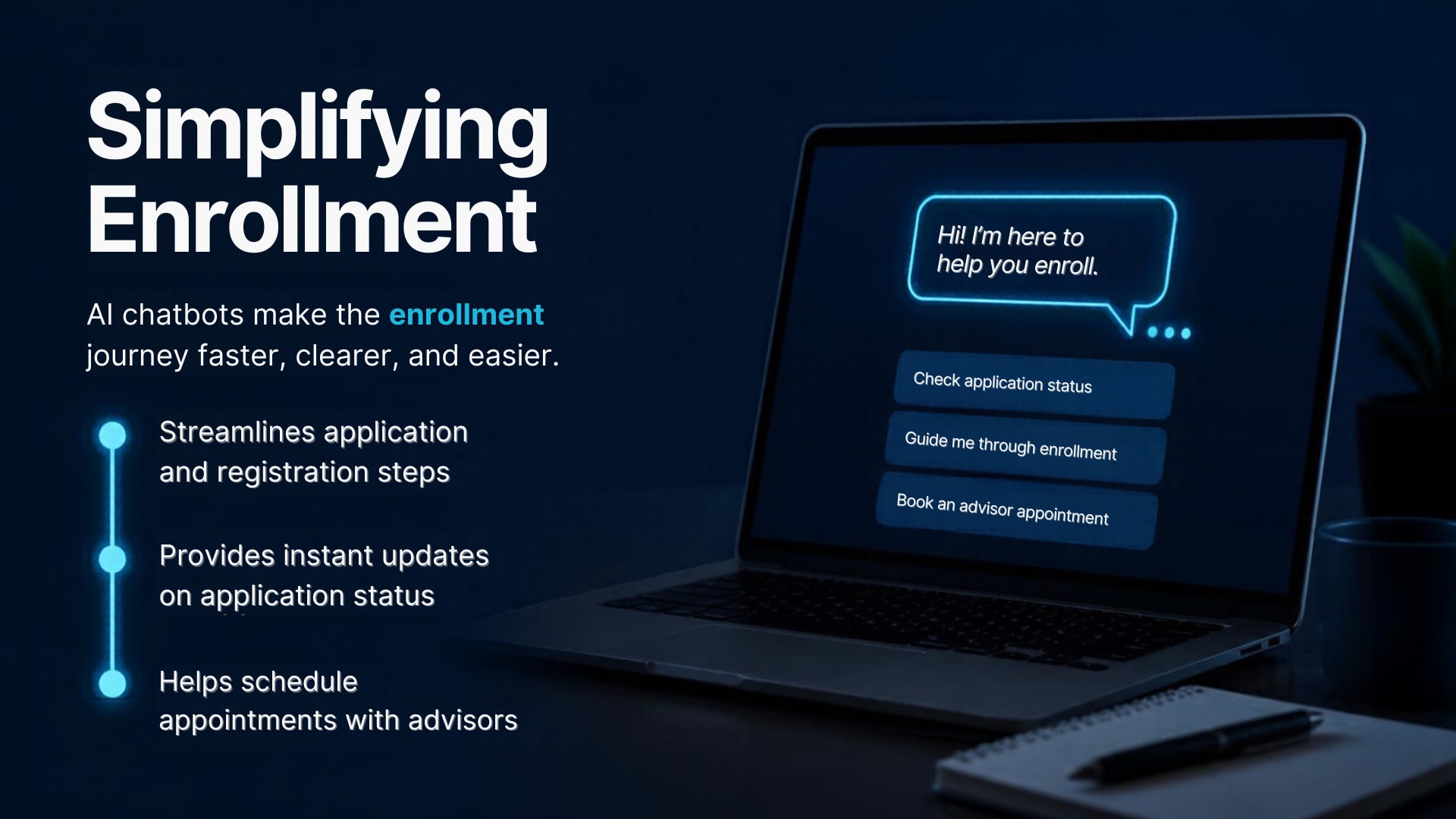
An AI chatbot can improve student support and enrollment by making routine information easier to find, guiding applicants through published procedures, and helping institutions manage repetitive inquiries. It can support prospective and enrolled students, organize common questions, and direct complex cases to staff. The results depend on accurate information, suitable configuration, and well-defined human support processes.
1. Providing Faster Answers to Common Student Questions
Students often ask similar questions even when they attend different courses or belong to different departments. Admissions teams may repeatedly explain application requirements, course options, office hours, document submission procedures, and registration steps.
An AI chatbot for student support can handle suitable routine questions using approved information. This allows students to find basic guidance without having to wait for an individual response from a staff member.
Consider a school that receives frequent questions from parents about admission forms. A chatbot could explain where to find the form, list the published document requirements, and direct parents to the official submission instructions.
Similarly, a university chatbot could answer general questions about its academic departments and provide links to relevant course pages.
The goal is not to eliminate communication with staff. Instead, the chatbot helps users resolve straightforward questions independently while leaving staff more time to handle cases that require individual attention.
Institutions evaluating this capability can explore YourSiteChat's education chatbot solution for student inquiries as part of their wider communication strategy.
2. Supporting Prospective Students Before They Apply
Prospective students may visit several educational institution websites before deciding where to study. They compare programs, eligibility criteria, teaching formats, fees, facilities, and application procedures.
If essential information is difficult to find, a student may leave the website without receiving the guidance needed to make an informed decision.
An education chatbot can provide a more direct way to access published information.
For example, a student exploring an undergraduate business program might ask about course duration. After receiving a verified answer, the student could ask about eligibility, application documents, or the official admissions page.
The chatbot can guide the conversation by providing relevant information one step at a time. When a question requires confirmation, it can direct the visitor to the admissions team.
This process can make initial exploration more convenient, especially for students who are unfamiliar with the institution's website.
A student support and enrollment chatbot may be worth considering when an institution wants to make its public course and admissions information more accessible.
3. Simplifying the College Admission Process
Admission procedures can involve several stages, from selecting a program to submitting documents and waiting for further instructions. Students may struggle when the information is distributed across different pages or written in unfamiliar administrative language.
A chatbot for college admissions can help explain the general process in a conversational format.
It might guide an applicant through questions such as:
Where can I find the application form?
What documents are listed in the application instructions?
What are the published eligibility requirements?
Where can I find the current admission schedule?
How do I contact the admissions department?
Where can I check the official status of my application?
The chatbot should answer only when it has reliable information. If a student asks for an individual application status and the system does not have authorized access to the relevant records, it should direct the student to the institution's official process.
This distinction is particularly important during competitive admission periods, when incorrect information can affect a student's decisions.
Institutions can evaluate YourSiteChat's education-focused chatbot when considering how to organize general admissions communication.
4. Helping Students Understand Course Information
Choosing a course is an important decision. Students may want to understand program subjects, entry requirements, course duration, learning formats, and potential academic pathways before applying.
An AI chatbot can make published course information easier to navigate.
For example, a visitor might ask, “Which programs do you offer for students interested in computer science?” The chatbot could direct the visitor to relevant programs listed in the institution's approved content.
The student could then ask about eligibility or course structure. The chatbot can provide verified details or link to the relevant program page.
Educational institutions should avoid allowing the chatbot to make unsupported promises about employment, salaries, professional accreditation, or career outcomes. Such information must be grounded in accurate and appropriately qualified sources.
A useful chatbot helps students compare available information without making decisions on their behalf.
For institutions seeking to improve access to program information, YourSiteChat's education chatbot solution provides a starting point for evaluating a conversational approach.
5. Answering Questions Outside Office Hours
Students do not always browse institutional websites during working hours. An applicant may research courses late at night, while an international student may live in a different time zone.
A chatbot that is configured to remain available online can help visitors access common information beyond the admissions office's normal opening hours.
For example, a student in another country might visit a university website in the evening and ask about application instructions. The chatbot could share the approved information immediately rather than requiring the student to wait until the next working day.
This can make information more accessible to prospective students and families.
However, 24/7 chatbot availability does not mean that every request can be resolved at every hour. Human follow-up, application reviews, appointment confirmations, and individual administrative decisions may still depend on staff availability.
Institutions should communicate these boundaries clearly.
When assessing a 24/7 student support chatbot solution, administrators should distinguish between automated access to information and round-the-clock human assistance.
6. Organizing and Managing Student Inquiries
Educational institutions receive inquiries through multiple channels. If messages are scattered across website forms, email accounts, social media, and other communication tools, staff may find it difficult to identify recurring questions or determine which requests need attention first.
Depending on its capabilities and configuration, an education chatbot may help collect initial inquiry details and organize information for follow-up.
For example, a prospective student might ask about a postgraduate program and request more information. Where appropriate and supported, the chatbot could collect the student's name, preferred program, and contact details with suitable notice and consent.
The institution could then use the permitted information to route the inquiry to the relevant admissions team.
This process should follow data minimization principles. The chatbot should not ask for passport details, financial information, identity documents, or other sensitive information unless there is a clear and authorized need and suitable safeguards are in place.
It is also important to understand what happens to collected data, where it is stored, and who can access it.
An institution considering YourSiteChat for education-related inquiries should confirm which lead collection and management capabilities are available in the intended configuration.
7. Supporting Enrollment Communication
Enrollment involves more than submitting an application. Students may need to understand registration requirements, locate payment instructions, prepare documents, and find out which office can answer questions about the next step.
An AI chatbot can support this journey by explaining general procedures and directing students to official resources.
Imagine a college that publishes a checklist for newly admitted students. A chatbot could explain where to find the checklist, identify the required steps described in the official document, and provide links to relevant pages.
If a student asks whether a specific document has been received or whether an individual payment has been processed, the chatbot must not guess. It should direct the student to the authorized administrative channel unless the institution has implemented a secure integration that permits an accurate response.
The distinction between explaining a process and confirming an individual transaction protects both students and institutions.
A chatbot for enrollment assistance can be assessed for its potential to support these routine communication needs.
8. Helping Students Locate the Correct Department
Students do not always know which department handles a particular issue. An applicant may contact the general office about course eligibility, while an enrolled student may ask the admissions team about a technical account problem.
A chatbot can help route these questions more effectively.
For example:
Questions about course options can be directed to program information.
Questions about application requirements can be directed to admissions resources.
Questions about tuition can be directed to official fee information or the appropriate finance office.
Questions about login problems can be directed to the relevant technical support channel.
Questions about academic policies can be directed to the appropriate institutional documents or department.
Routing is especially helpful when the institution has a large website or multiple departments.
The chatbot should avoid presenting a referral as a completed resolution. Providing the correct contact details is useful, but it is not the same as resolving the underlying issue.
Institutions can explore YourSiteChat's education solution when considering ways to improve navigation between student questions and relevant resources.
9. Supporting Students After Enrollment
Student communication continues after admission. Enrolled students may need information about academic calendars, campus facilities, examination procedures, learning resources, administrative policies, and available support services.
An education chatbot can help students locate public or approved information about these subjects.
For example, a student who wants to find the published academic calendar could ask the chatbot where it is available. The chatbot could provide the relevant official link if that resource is included in its knowledge base.
Another student might ask how to contact the library or locate information about campus transport. A chatbot could direct the student to the appropriate institutional page.
However, general information must be distinguished from confidential academic records. The chatbot should not claim to know a student's grades, attendance, examination results, personal timetable, or disciplinary record unless an authorized integration genuinely supports the requested access.
Sensitive personal circumstances, welfare concerns, and disputes should be directed to appropriate human staff.
Institutions considering AI-powered student support through YourSiteChat should define which post-enrollment questions are suitable for automation and which require secure, individual assistance.
10. Improving Accessibility for Diverse Student Communities
Educational institutions often serve students with different language preferences, levels of digital confidence, disabilities, and familiarity with administrative terminology.
A well-designed chatbot may make institutional information easier to navigate by allowing users to ask questions in natural language rather than searching through complex menus.
For instance, an international applicant may not understand a term used in the institution's admissions documentation. The chatbot could explain the term in simpler language if the approved information supports that explanation.
Language support depends on the chatbot's actual capabilities and the accuracy of its responses in each language. Institutions should test important information across the languages they intend to support rather than assuming that automated translation will always be reliable.
Accessibility also requires a usable interface, clear wording, keyboard accessibility where applicable, and an alternative route to human assistance.
A chatbot should complement accessible website design rather than become the only way to obtain essential information.
When comparing education chatbot software, institutions should consider the needs of their actual student population, including users who may require additional assistance.
11. Realistic Examples of Education Chatbot Use
The following examples illustrate possible workflows rather than guaranteed outcomes or claims about any particular institution.
Example A: A school handling parent inquiries
A school receives repeated questions about admission documents, school timings, and general contact information. It organizes approved answers and places a chatbot on the relevant website pages.
Parents can ask common questions and receive links to the published information. Questions about an individual child's application are directed to authorized staff.
Example B: A university supporting international applicants
A university receives course inquiries from several countries. Its website contains information about programs, eligibility criteria, and application instructions.
A chatbot helps visitors locate the relevant pages and explains the published steps. Questions about visa eligibility, individual qualifications, or official admission decisions are referred to the appropriate team.
Example C: A coaching institute managing course inquiries
A coaching institute receives inquiries about batches, course formats, schedules, and registration. A chatbot answers questions based on approved information and directs visitors to the official enrollment page.
Questions about individual fee arrangements or special circumstances are handled by staff.
Example D: An online learning provider supporting learners
An online education provider receives questions about course descriptions, registration instructions, and learning resources. A chatbot helps learners find published information and directs account-related issues to the appropriate support channel.
These scenarios show that a useful chatbot begins with a clear communication problem. The technology should be selected according to the problem, not the other way around.
Institutions can assess YourSiteChat's education chatbot option against these kinds of practical workflows.
12. Manual Student Support vs. Chatbot-Assisted Support
A chatbot-assisted model combines automated information access with human expertise. It does not remove the need for admissions officers, teachers, counselors, administrators, or technical support staff.
Area
Manual support
Chatbot-assisted support
Availability
Usually depends on staff schedules
Common information may be available beyond office hours
Routine questions
Staff respond individually
Suitable questions can be answered automatically
Personalized guidance
Staff can assess individual circumstances
Limited unless suitable information and authorized integrations exist
Complex cases
Staff investigate and decide
Chatbot should refer cases to the appropriate people
Information consistency
May vary between responses
Approved answers can be standardized and maintained
Staff involvement
Required for most interactions
Concentrated on complex, sensitive, or unresolved cases
Private records
Access depends on staff authorization
Requires secure integrations and explicit permissions for any chatbot access
Neither approach is sufficient for every situation. Manual support provides context and judgment, while automation can make routine information more accessible.
The most appropriate model depends on the institution's size, communication volume, staffing, student needs, and technical environment. A YourSiteChat education chatbot solution can be considered alongside other options using these criteria.
13. Benefits for Educational Institutions
The benefits of an AI chatbot for education depend on how well it fits the institution's existing processes.
Potential advantages include:
More accessible information: Students can locate approved information through a conversational interface.
Fewer repetitive explanations: Staff may spend less time answering identical routine questions.
Extended information availability: Suitable answers can remain accessible outside normal office hours.
More consistent communication: A maintained knowledge base can help standardize responses.
Improved website navigation: Students can be directed to relevant departments, forms, and resources.
Structured inquiry collection: Supported configurations may help organize prospective student inquiries.
Better use of staff time: Teams can focus on cases that require personal attention and judgment.
More convenient applicant guidance: Students can explore published requirements and next steps through conversation.
These are potential operational benefits, not guaranteed outcomes. A chatbot with poor information, unclear boundaries, or ineffective escalation may create additional work instead of reducing it.
Institutions should identify a measurable problem before implementation and evaluate whether the chatbot actually improves the experience.
A student inquiry automation solution should therefore be judged on usefulness, accuracy, accessibility, and fit with institutional requirements rather than marketing claims alone.
How Can Educational Institutions Implement an AI Chatbot Successfully?
Educational institutions can implement an AI chatbot successfully by identifying their most common questions, preparing accurate information, selecting a suitable platform, defining privacy and escalation rules, and testing the system before launch. Ongoing monitoring is equally important because course details, admission requirements, policies, and institutional procedures change over time. A structured approach helps keep the chatbot useful, trustworthy, and aligned with student needs.
1. Identify the Institution's Communication Needs
Before choosing an education chatbot, institutions should understand where students experience communication difficulties.
Start by reviewing frequently asked questions received through email, website forms, phone calls, social media, and admissions offices. Look for questions that appear repeatedly and can be answered using published institutional information.
For example, a college may discover that students frequently ask about application forms, course eligibility, document requirements, and office hours. These questions may be suitable for an initial chatbot project.
Another institution might find that most inquiries concern technical problems with its online learning platform. In that case, the priority could be directing learners to troubleshooting resources and the appropriate technical support team.
Useful questions to ask include:
Which questions take up the most staff time?
Which website pages are difficult for students to navigate?
What information is already available in an approved format?
Which inquiries require individual judgment?
Which departments should receive escalated questions?
How will the institution measure whether the chatbot helps?
A clear scope prevents institutions from expecting one chatbot to solve every communication problem at once.
For organizations exploring YourSiteChat's education chatbot solution, defining these requirements first can make the subsequent evaluation more focused.
2. Prepare Accurate and Approved Information
The quality of a chatbot's responses depends heavily on the information it can use. Educational institutions should gather reliable source material before configuring the system.
Useful content may include:
Official course descriptions.
Published admission requirements.
Current application instructions.
Approved fee schedules.
Academic calendars.
Campus contact information.
Office hours and department details.
Frequently asked questions.
Official student service resources.
Links to relevant policies and forms.
The institution should establish which department owns each category of information. Admissions staff, for example, should verify admission procedures, while the finance department should review published fee information.
Content should also be easy to maintain. If admission requirements are buried in an old document or contradicted by another webpage, the chatbot may struggle to provide a reliable answer.
Before uploading documents or connecting sources, remove obsolete information and resolve conflicting instructions. Clearly identify the official source when multiple documents cover the same subject.
Institutions should also review whether the chatbot needs access to a particular document at all. Information that is confidential or unnecessary for public inquiries should not be included in a public-facing knowledge base.
When evaluating YourSiteChat for educational institutions, administrators should confirm which content formats and knowledge-source options the intended configuration supports.
3. Organize the Chatbot Knowledge Base
A knowledge base works best when information is organized according to the questions students actually ask.
For example, an institution could use categories such as:
Admissions: Eligibility, application instructions, deadlines, required documents, and official application links.
Courses and programs: Course descriptions, program duration, available study formats, and relevant academic department pages.
Fees and payments: Approved fee information, official payment instructions, and finance department contact details.
Campus information: Location, facilities, office hours, and department contacts.
Student services: Published administrative procedures, academic resources, library information, and support contacts.
Technical assistance: Official troubleshooting instructions and contact details for technical support.
This structure can make information easier to maintain and review. It also helps the institution identify missing content when the chatbot cannot answer a common question.
Knowledge-base preparation should include a clear process for updating information. When a course is discontinued or an application deadline changes, the responsible team should update the relevant source and test the chatbot's responses.
Institutions should not assume that uploading documents automatically produces accurate answers. Testing and review remain necessary.
A YourSiteChat education chatbot solution can be assessed for its available knowledge-base capabilities, supported file types, and content management requirements.
4. Choose an Appropriate Chatbot Solution
Not every educational organization needs the same chatbot functionality. A small coaching institute may need a simple way to answer course questions, while a university may require more detailed routing, analytics, or integrations.
The selection process should begin with requirements rather than a long list of advertised features.
Consider the following criteria.
Ease of setup: Can the institution configure and maintain the chatbot without unnecessary technical complexity?
Knowledge-source support: Can the intended configuration use the institution's approved information?
Response quality: Does the chatbot answer representative student questions accurately?
Escalation options: Can users find a route to human assistance when necessary?
Privacy and security: Does the provider offer sufficient information about data handling, access controls, retention, and security practices?
Website compatibility: Can the chatbot be deployed through a supported method on the institution's website?
Language and accessibility: Does it suit the languages and accessibility needs of the student community?
Monitoring: Can administrators review conversation quality, unanswered questions, and other relevant measures?
Cost and ongoing effort: Are subscription costs, implementation requirements, maintenance tasks, and any additional integration expenses clear?
Institutions should also distinguish between features available in a standard plan and those requiring a different plan, additional configuration, or third-party integration.
YourSiteChat's education chatbot solution is one option institutions can review during this process. Its suitability should be assessed against current published features and the institution's specific requirements, rather than assumed in advance.
5. Configure Responses and Human Escalation
A chatbot should have clear instructions about what it can answer, when it should ask a follow-up question, and when it must refer the user to a person.
For routine questions, the chatbot can provide an approved answer directly. When a question is ambiguous, it may need to clarify the student's intended program or request additional non-sensitive context.
If the information is unavailable, the chatbot should say so rather than inventing an answer.
For example, a student might ask whether their application has been approved. If the chatbot cannot access the official application system, it should direct the student to the institution's authorized application-status process.
Similarly, questions involving complaints, exceptional admission circumstances, financial disputes, or sensitive personal situations may require human involvement.
Institutions should define:
Which questions are suitable for automated responses.
Which topics require a staff member.
Which department handles each category.
What information can be collected before escalation.
How the chatbot explains its limitations.
How students can access the appropriate support channel.
The escalation process must be realistic. If the chatbot cannot directly transfer a conversation to a staff member, it should not claim that it has done so. It can instead provide verified contact details or instructions for submitting a request.
When reviewing YourSiteChat's education solution, institutions should confirm which escalation and handoff options are actually supported.
6. Integrate the Chatbot With the Institution's Website
A website chatbot should be easy to find without interrupting the student's ability to use the website.
Institutions may consider placing it on pages that receive frequent questions, such as admissions, course listings, application guidance, and student services.
The placement should reflect the intended use. A chatbot designed primarily for prospective students may be most useful on admissions pages, while one focused on enrolled students may belong within a student services area.
Before implementation, confirm the supported integration method and whether any website changes are necessary.
A website chatbot should also work alongside existing navigation. Important information must remain available through ordinary webpages, and students should not be forced to use a chatbot to access essential institutional policies.
Institutions should test the experience on desktop computers, mobile devices, and commonly used browsers. They should also check keyboard navigation, readability, loading behavior, and whether the interface obscures important content.
A website chatbot for education can be evaluated for compatibility with the institution's website and the practical effort required to maintain it.
7. Test Before Launching
Testing should use realistic questions rather than only the examples provided during configuration.
Create a test set covering routine questions, ambiguous requests, outdated information, unsupported questions, and sensitive topics.
For example, test questions might include:
What documents are required for this program?
Where can I find the official application form?
What is the published fee for this course?
Can you confirm whether my application has been accepted?
What should I do if my personal circumstances affect my application?
Where can I find the academic calendar?
What happens if you cannot answer my question?
Review whether the chatbot provides accurate answers, uses current information, links to the correct official pages, and recognizes when it needs human support.
Test variations in wording as well. Students may use abbreviations, spelling errors, incomplete sentences, or unfamiliar terminology.
An answer that appears correct in one test may fail when the question is phrased differently.
Institutions should also check whether the chatbot asks for unnecessary personal information, exposes confidential content, or gives a misleading impression of its capabilities.
Maintain a record of failed tests, correct the underlying content or configuration, and test again before launch.
This process is consistent with the broader principle that AI systems need evaluation and ongoing risk management. The NIST AI Risk Management Framework provides a voluntary resource for organizations considering trustworthy AI practices.
8. Protect Student Privacy and Information Security
Student information deserves careful handling, especially when a chatbot collects personal details or operates within an educational environment.
Before deployment, institutions should understand exactly what information the chatbot collects, how it is processed, where it is stored, and which people or organizations can access it.
Important questions include:
Does the chatbot collect names, email addresses, or phone numbers?
Is personal information necessary for the intended task?
Are conversations stored, and for how long?
Can administrators review conversation histories?
Does the provider use conversation data for additional purposes?
Can access be restricted according to staff responsibilities?
How can users request information about data handling?
What security controls and contractual protections are available?
Institutions should provide appropriate privacy notices and obtain consent where required. They should avoid collecting sensitive information through an ordinary public chatbot when a secure institutional process is more appropriate.
Legal requirements vary by jurisdiction and context. In the United States, institutions should assess the applicability of the Family Educational Rights and Privacy Act (FERPA). Organizations handling personal data in the European Union should consider applicable General Data Protection Regulation (GDPR) requirements. Indian institutions should assess applicable obligations under India's Digital Personal Data Protection framework and other relevant rules in force.
These laws have different scopes and conditions. A chatbot provider's general privacy statement alone does not establish that an institution's particular implementation satisfies its legal obligations.
The European Commission's data protection information provides an official starting point for understanding EU data protection.
For AI governance, NIST's AI Risk Management Framework offers additional guidance on evaluating and managing risks throughout the AI lifecycle.
Institutions considering YourSiteChat for student communication should review the provider's current privacy documentation, security information, contractual terms, and applicable configuration options before using it with personal data.
9. Train Staff and Establish Ownership
Launching a chatbot is not solely a technical project. Staff members need to understand its purpose, capabilities, limitations, and escalation procedures.
Admissions officers should know which questions the chatbot is intended to handle and which require direct intervention. Website administrators should understand how information is updated. Privacy and IT teams should review the relevant data handling and security arrangements.
Assign a clear owner for the chatbot. This person or team can coordinate content updates, monitor performance, collect feedback, and ensure that problems are addressed.
Responsibilities should be defined for each major content category. For example, the admissions team may verify eligibility information, while the finance department maintains approved fee details.
Staff should also know how to report incorrect answers and what to do when a student relies on outdated information.
Training should explain that a chatbot is a support tool, not an independent authority on institutional policies.
For institutions considering YourSiteChat's education chatbot option, staff responsibilities and internal processes should be part of the implementation plan from the beginning.
10. Measure Performance Using Meaningful Metrics
A chatbot should be evaluated according to whether it helps students and staff accomplish meaningful tasks.
Useful measures may include:
Total conversations and recurring question categories.
Percentage of questions answered successfully, where measurable.
Number and types of unanswered questions.
Incorrect or outdated responses identified during review.
Human escalation frequency.
Student feedback about the usefulness of answers.
Time required to resolve inquiries.
Clicks on official course and application pages.
Inquiry completion rates, where appropriate.
Progression from admission inquiry to application, when reliable tracking is available.
Metrics should be interpreted in context.
A high conversation count does not automatically indicate student satisfaction. A low escalation rate does not prove that answers are correct. A rise in application-page visits does not necessarily mean that more students complete their applications.
Institutions should combine quantitative measures with conversation reviews and student feedback.
For example, if many users repeatedly ask a question the chatbot cannot answer, the institution may need to improve its knowledge base or make the relevant information easier to find on its website.
If students receive incorrect fee information, administrators should investigate the underlying source and correct the response before continuing to rely on it.
Establish a baseline before launch so that performance can be compared over time. Avoid setting targets that encourage the chatbot to answer questions it cannot reliably resolve.
A YourSiteChat education chatbot solution should be assessed using the reporting and monitoring capabilities available in the intended configuration.
11. Common Implementation Mistakes to Avoid
Educational institutions can reduce implementation problems by avoiding several common mistakes.
Uploading unverified information: Documents should be checked for accuracy, relevance, and approval before becoming chatbot sources.
Expecting the chatbot to answer everything: Some questions require individual records, expert judgment, or human intervention.
Ignoring privacy requirements: Institutions should assess data collection and access before launch, not after a problem occurs.
Providing no escalation route: Students need a clear way to contact the appropriate department when automation is insufficient.
Failing to update content: Changes to admission procedures, academic calendars, and fees must be reflected in the approved information sources.
Launching without testing: Realistic testing can reveal inaccurate answers, confusing language, and missing information.
Treating automation as a substitute for staff: Human assistance remains essential for complex and sensitive cases.
Measuring activity instead of outcomes: Conversation volume alone does not show whether the chatbot is helping users.
Overlooking accessibility: Students should have alternative ways to access essential information.
Assuming integrations exist: Website deployment does not automatically provide access to student records, payment systems, learning management systems, or application portals.
Institutions should address these issues during planning, configuration, testing, and ongoing maintenance.
12. How YourSiteChat Fits Into an Education Chatbot Evaluation
YourSiteChat provides an education-focused solution page that institutions can review when considering conversational support for students and prospective applicants.
The relevant starting point is YourSiteChat's education chatbot solution. Institutions should use the official page to understand the product's current positioning and then verify the features, limitations, and commercial terms relevant to their intended use.
A practical evaluation should examine several areas.
Student inquiry support: Determine whether the solution can answer the institution's most common questions using approved information.
Knowledge preparation: Confirm how the chatbot can be supplied with relevant website content or documents, including any restrictions on supported sources.
Website deployment: Check the supported installation process and whether it fits the institution's website platform.
Enrollment communication: Assess whether the solution can provide appropriate guidance and, where supported, collect inquiry details under suitable privacy controls.
Language requirements: Test the languages needed by the institution rather than relying on general product claims.
Human assistance: Confirm how the system handles questions it cannot answer and what practical options exist for directing students to staff.
Security and privacy: Review the provider's published documentation and contractual terms before processing personal information.
Monitoring and maintenance: Establish how response quality can be checked and how content will be updated.
The institution should test the solution with representative questions before committing to a wider deployment. A small, carefully scoped use case can help reveal whether the chatbot meets actual communication needs.
No platform should be selected solely because it advertises AI capabilities. The best fit is the option that performs reliably on the institution's real questions, respects privacy requirements, and works within its operational constraints.
13. Building a Sustainable Student Support Strategy
A chatbot should be part of a wider communication strategy rather than an isolated technology purchase.
Students still need clear website content, accessible contact details, helpful staff, and consistent administrative procedures. Automation cannot compensate for contradictory policies or information that is difficult to understand.
Institutions should regularly review the full student journey, from initial course research through application, enrollment, and ongoing support.
They should also seek feedback from prospective students, current students, parents where appropriate, and staff who handle inquiries. This feedback can identify confusing instructions, missing resources, and situations in which human assistance is especially valuable.
AI governance should be an ongoing responsibility. UNESCO emphasizes a human-centred approach to AI in education, including attention to inclusion, equity, and potential risks. Its official guidance on artificial intelligence in education is a useful reference for institutions developing responsible practices.
Educational organizations evaluating YourSiteChat's education chatbot solution should consider how the product would fit into this broader approach.
The objective is not to automate every interaction. It is to make reliable information easier to access while preserving the human relationships and professional judgment that education depends on.
Conclusion
An AI Chatbot for Education can help schools, colleges, universities, coaching institutes, and online learning providers improve how they communicate with students. By answering suitable routine questions, explaining published admission procedures, directing visitors to course information, and supporting enrollment communication, a chatbot can make essential information easier to find.
Its value depends on thoughtful implementation. Educational institutions need accurate knowledge sources, clearly defined responsibilities, appropriate privacy safeguards, realistic testing, and reliable routes to human assistance. They should also monitor response quality and update information as institutional policies change.
Automation is most useful when it complements the people responsible for education. A chatbot can help a prospective student locate an application form, but an admissions officer may still need to assess an individual application. It can explain a published administrative process, but sensitive or confidential matters may require a secure human-led response.
Institutions exploring conversational support can explore YourSiteChat's education chatbot solution and compare its current capabilities with their communication needs.
The most effective starting point is simple: identify one recurring student communication problem, prepare accurate information to address it, and test whether a chatbot improves the experience without compromising trust, privacy, or access to human support.
Frequently Asked Questions
1. What is an AI chatbot for education?
An AI chatbot for education is a conversational tool that helps students, parents, and applicants find information by asking questions in everyday language. It can answer common questions, explain published procedures, share course information, and direct users to relevant institutional resources. Its capabilities depend on its configuration, knowledge sources, and authorized integrations.
2. How can an AI chatbot help students?
An education chatbot can help students find academic calendars, course descriptions, application instructions, campus information, and administrative resources. It can answer suitable routine questions and direct users to the appropriate department when further assistance is needed. Students should still have access to human support for sensitive or complex matters.
3. Can an education chatbot help with college admissions?
Yes. An education chatbot can explain published admission requirements, share official application links, provide course information, and guide prospective students through general application steps. It can also direct individual eligibility questions and application-status requests to admissions staff when personal assessment or access to confidential records is required.
4. Can a student support chatbot answer questions 24/7?
A chatbot configured for continuous online availability can provide access to suitable information outside normal office hours. Students may be able to find course details, published admission instructions, and department contact information at any time. However, human follow-up, individual application reviews, and administrative decisions may still depend on staff availability.
5. How can chatbots help educational institutions manage enrollment inquiries?
Chatbots can answer common enrollment questions, explain application procedures, direct prospective students to official forms, and, where supported, collect inquiry details with appropriate privacy safeguards. They may also help organize recurring questions so that admissions teams can identify common information needs. Actual results depend on implementation quality and institutional processes.
6. Can an AI chatbot replace school or college administrative staff?
No. An AI chatbot is best used to support staff by handling suitable routine questions and helping students locate information. Human employees remain important for individual eligibility decisions, complaints, financial disputes, confidential records, and sensitive personal circumstances. A responsible implementation includes clear escalation procedures and accessible human assistance.
7. What information should an education chatbot be trained on?
An education chatbot should use accurate, approved information relevant to its purpose. This may include course descriptions, published admission requirements, application instructions, office hours, campus information, frequently asked questions, and official student service resources. Institutions should review the information regularly and avoid including unnecessary confidential student records in a public-facing knowledge base.
8. How can educational institutions protect student information when using chatbots?
Institutions should assess what information is collected, why it is needed, how it is stored, who can access it, and how long it is retained. They should provide appropriate privacy notices, apply access controls, and avoid requesting sensitive details through unsuitable channels. Applicable legal obligations depend on the institution, jurisdiction, data, and implementation.
9. Can an education chatbot answer questions about courses and fees?
Yes, if accurate and approved course and fee information is available to the chatbot. It can explain published details and direct students to official pages. Institutions should regularly verify fee information and ensure that the chatbot does not invent prices, promise unapproved discounts, or provide individual financial confirmations without authorized access to the relevant systems.
10. What should institutions consider before choosing an education chatbot?
Institutions should evaluate answer accuracy, knowledge-base support, website compatibility, accessibility, privacy, security, human escalation, monitoring, and ongoing maintenance requirements. They should also confirm which features are available in the intended plan and whether additional integrations are necessary. Testing the solution with realistic student questions can help determine whether it meets actual institutional needs.
11. How can a chatbot transfer complex inquiries to human staff?
The process depends on the platform's supported features and the institution's configuration. A chatbot may offer a supported handoff, direct users to a contact form, provide verified department contact details, or explain how to submit a request. Institutions should test these pathways and avoid claiming that a transfer has occurred when the system has only provided contact information.
12. How can YourSiteChat support education-related chatbot requirements?
Educational institutions can review YourSiteChat's education chatbot solution to evaluate its suitability for their communication needs. Before implementation, they should confirm the current features, supported information sources, website deployment options, data handling practices, and available escalation capabilities. A practical evaluation should focus on real student questions and institutional requirements.